
Push notifications in the mailbox Suite
What are push notifications?
Push notifications are short messages that appear in your browser without you having to open the relevant web page.
You can receive notifications for new emails, calendar entries or polls, amongst other things.
Enabling push notifications
When you log in to the mailbox Suite for the first time, a pop-up will appear at the bottom of the screen. Here, you have the option to enable push notifications. To do so, click on Allow notifications.
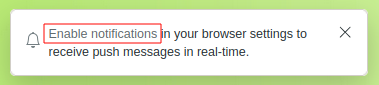
Click on “Allow notifications” to then make your selection.
Another pop-up window will then open, allowing you to make your selection.
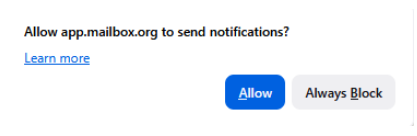
Decide whether you wish to allow notifications.
You can change your decision at any time. To do this, click on the settings icon in your browser to the left of the address bar.
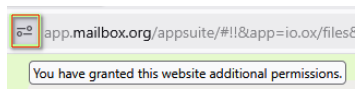
Permission settings for mailbox in Firefox
The icon may vary from browser to browser.
Alternatively, you can also adjust your settings in the mailbox Suite via the following path: Gear icon > All settings > Notifications > Desktop notifications.
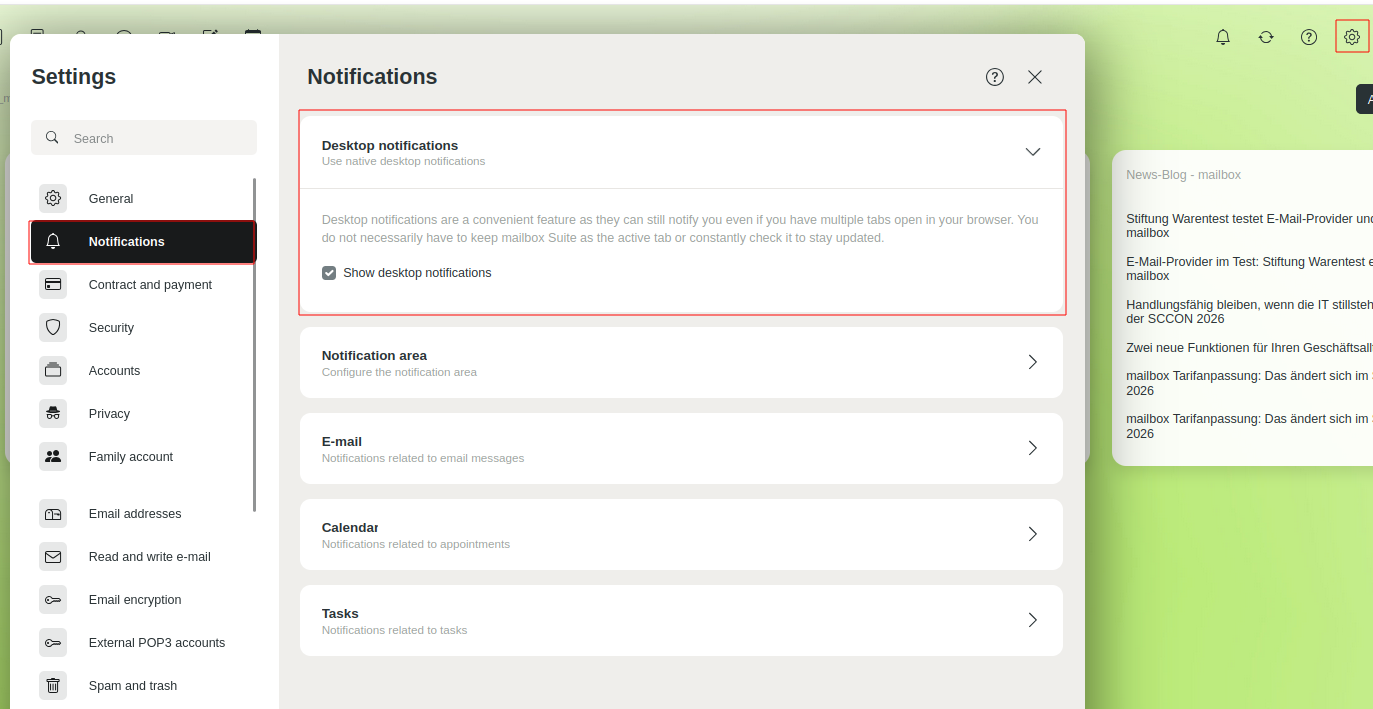
Permission settings for mailbox in Firefox


