
Adjust storage space for emails and Drive
In your mailbox Office dashboard you will find the Storage widget. There you can see how much storage space is already in use.
You can customise the storage space for your mailbox Office to suit your individual needs:
- Increase or reduce the available additional storage space for emails or files.
- Switch to a different plan.
- Cancel your additional storage.
Increasing or reducing additional storage
-
Log in to mailbox Office.
-
Navigate to All settings.
-
Select the menu item Contract and payment (1)
-
In the Contract section (2), click Get additional storage (3).
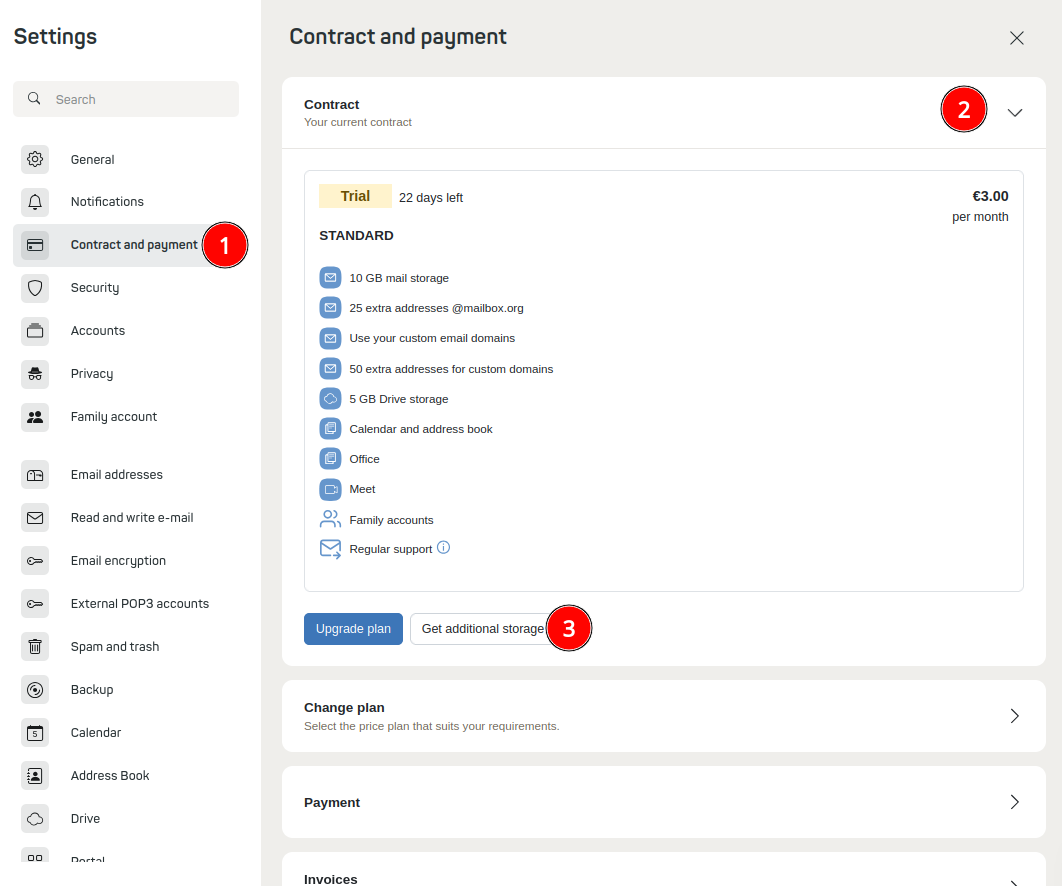
Under the menu item “Contract and payment”, you can quickly and easily change your email and Drive storage space.NoteDrive storage is only available for the Standard and Premium plans.
-
Adjust the additional storage to suit your needs for email and/or cloud (Drive) storage.
-
Confirm the terms and conditions and the cancellation policy.
-
Click Order with obligation to pay.
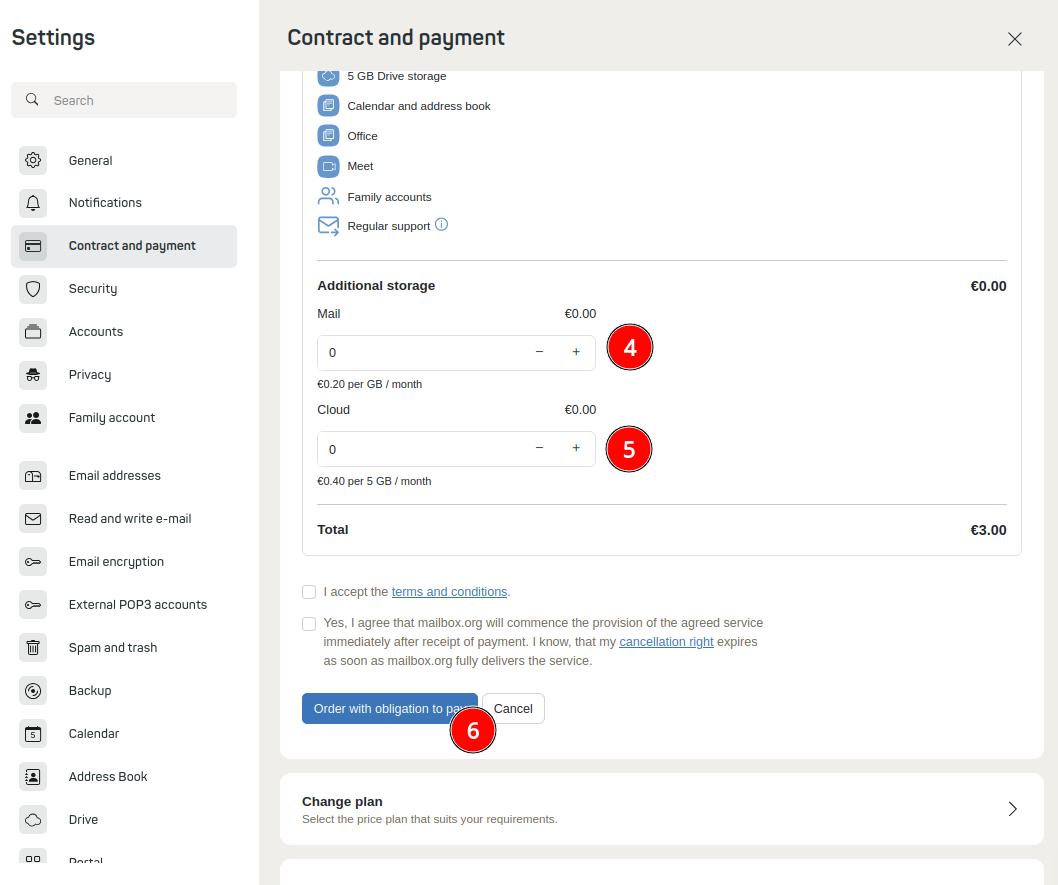
You can expand or reduce the additional storage space for email (4) and cloud (5) according to your needs.
The storage space update takes effect immediately.
Cancelling additional storage
Follow the steps described above under “Increasing or reducing additional storage”. Set the storage space to 0 GB. Accept the terms and conditions and the cancellation policy, then click Order with obligation to pay.


