
Where to find the settings in mailbox
Accessing the settings
The mailbox settings are located in the top right of mailbox Office: Click the gear icon and then select the menu option All settings.
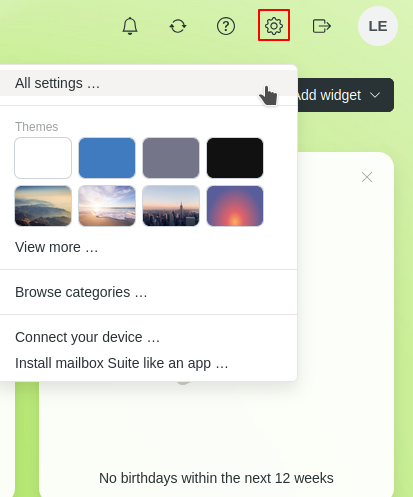
Settings in mailbox Office
Overview of all settings
Under All settings, you will find all options for managing your mailbox account. These include, among others:
- Add personal data
- View information about your contract and plan
- Configure security settings
- Configure email, calendar, contacts, and cloud storage
- Manage filters, signatures, and forwarding
- Add your custom domain
- General settings for mailbox Office, Meet, and Notes


