
Deleting a Mail Archive
Note
Only the Business account administrator can delete a Mail Archive.
To delete a mailbox’s Mail Archive:
-
In the Business console, click Mailboxes in the navigation bar.
-
Click the mailbox whose Mail Archive you want to delete.
-
In the mailbox settings, scroll down to the Mail Archive section.
-
Click Delete archive.
AttentionDeleting a Mail Archive permanently deletes all emails it contains. This action cannot be undone.
-
Activate the checkbox and confirm by clicking Delete now.
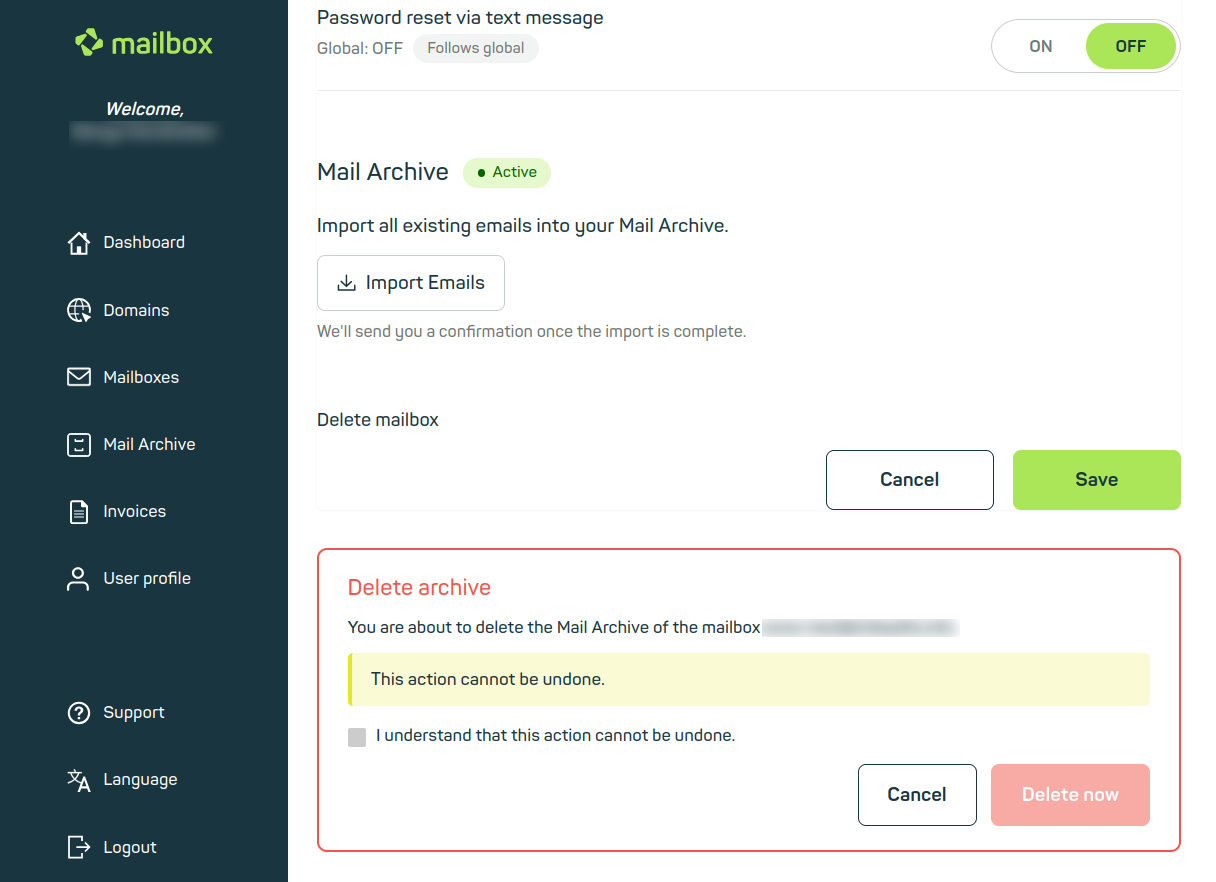
Deleting a Mail Archive
All contents of the Mail Archive will be permanently deleted. You will no longer be charged for the deleted archive.


