
Sharing calendars in Family accounts
Sharing in mailbox
Every share, that is everything that can be shared, is organised as a folder in mailbox. Sharing address books, calendars, tasks, and file folders therefore always follows the same pattern.
Using shared calendars in the Family account
The functions described in this article are available in all plans except the Light plan. If a Family account has at least two members, you can collaborate on and view calendars, contacts in the address book, tasks and files within this group.
Creating a calendar in the Family account
To share a calendar within a Family account, a member of the Family account must first create a new calendar.
To create a calendar in the Family account:
- Open the Calendar section in mailbox Office.
- Click the + icon next to My calendars, then click Add new calendar.
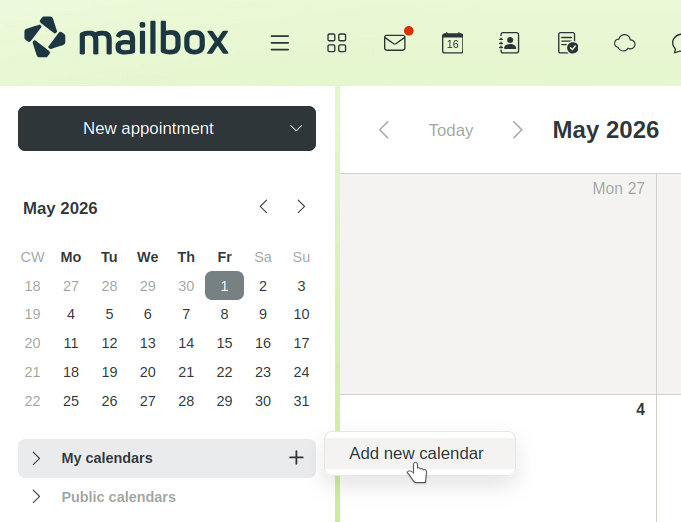
Create new calendar - Enter a suitable name for the calendar.
- Click Add.
Sharing a calendar
To share the newly created calendar with other members of the Family account:
-
Open the calendar’s context menu by clicking the ... icon and select the Share / Permissions option.
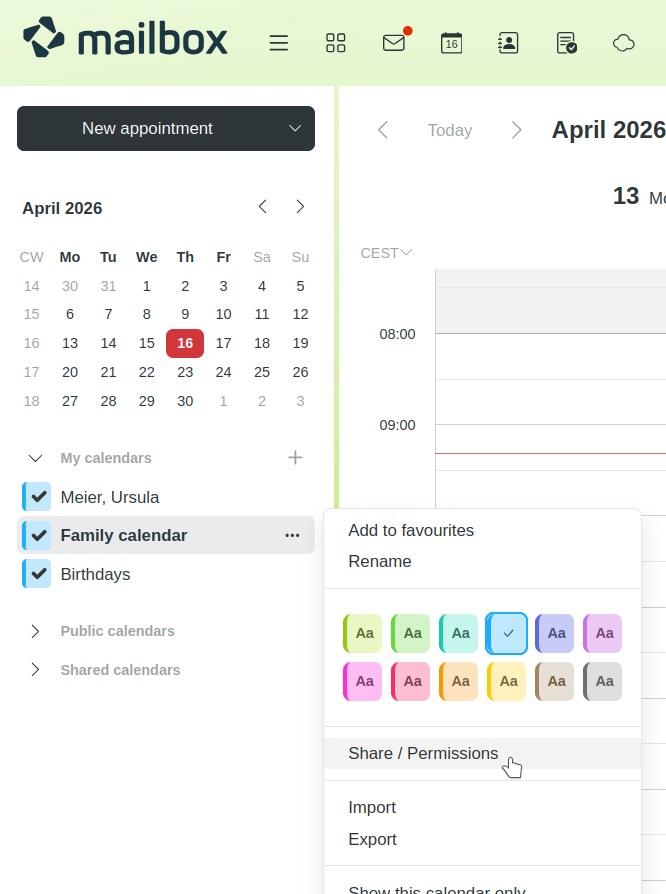
Context menu for a calendar -
Decide which people should have access to the calendar and what permissions they should be granted:
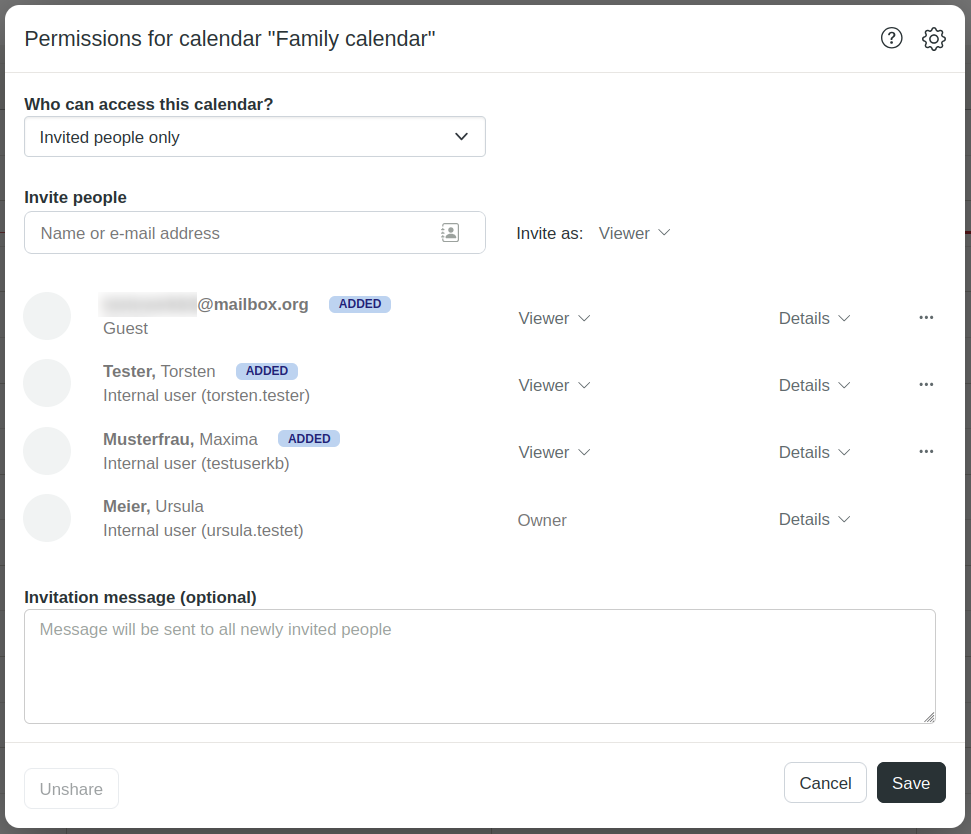
Invite people to the calendar and grant permissionsThe following roles and permissions are available:
- Author: Read, write and delete permissions
- Reviewer: Read and write permissions
- Viewer: Read-only permissions
-
Under Details, you can further restrict or extend the default permissions.
-
Optionally, compose an invitation message.
-
Click Save.
The shared calendar is marked with a corresponding share icon in the owner’s view.
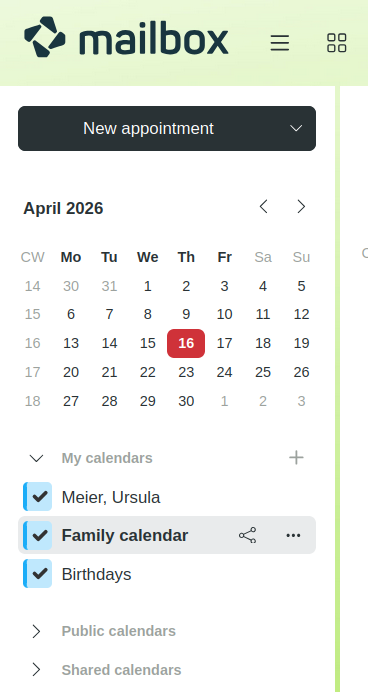
View of the shared calendar for the owner
Using a shared calendar
Everyone who has been granted access to the shared calendar will receive an email notification. For members of the Family account, the shared calendar appears in mailbox Office under Calendar > Shared calendars.
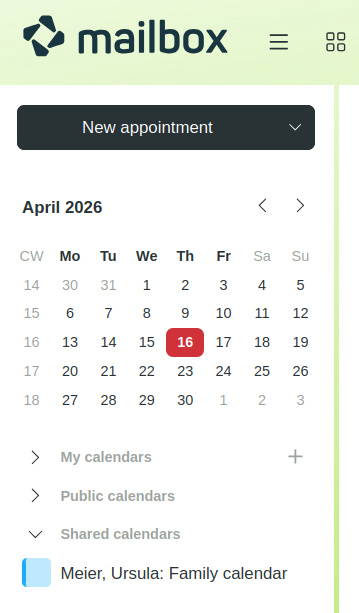
View of the shared calendar for the invited person
Members of the Family account can only create appointments in the shared calendar on behalf of the owner. This requires the appropriate write permissions.
Adding guests
The owner can also share a calendar with other users who are not members of the Family account. They appear as Guest in the calendar permissions dialogue.
The following applies to invited guests:
- Invited guests can only open the shared calendar via the personal invitation link they received by email. The calendar is not automatically integrated into their own calendar overview.
- Invited guests can only create appointments in the shared calendar on behalf of the owner. This requires the appropriate write permissions.
Guests who access a shared calendar via a public link have read-only access.


