
Where to find your account settings
Accessing the settings
The mailbox settings are located in the top right of mailbox Office: Click the gear icon and then select the menu option All settings.
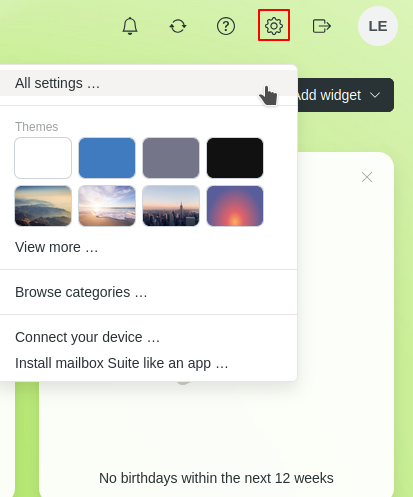
Settings in mailbox Office
Overview of all settings
Under All settings, you will find all options for managing your mailbox account. These include, among others:
- Add personal data
- Configure security settings
- Configure email, calendar, contacts, and cloud storage
- Manage filters, signatures, and forwarding
- General settings for mailbox Office, Meet, and Notes
The following settings can only be managed by the administrator of the Business account in the Console:
- View information about your contract and plan
- Manage your billing address
- Add your custom domains
- Additional features


