
Reseller management with mailbox
General information for resellers
Whether you are an IT company, agency or service provider - if you want to offer your customers privacy-focused email, according to the latest security standards, we may be what you are looking for. As your partner, mailbox would be happy to support you with many years of experience and our very own infrastructure. Whether desktop or mobile devices, calendar, contacts, or file sharing: mailbox also offers your customers - whether private, business or enterprise - secure email and groupware.
Your advantages as a mailbox reseller
- Flexible integration within your own systems via API interface.
- Your customers remain your customers: Enrich your customer's needs with the additional services from mailbox. Invoicing and support for your customers remains with you, or choose a support package and let us take care of customer support.
If you are interested, continue to reseller registration.
Reseller account at mailbox
Our reseller management can be conveniently accessed via the web interface at https://businessadmin.mailbox.org and allows for the quick and easy handling of your own customers.
Resellers can create new customer accounts, adjust customer settings, and delete accounts when they are closed. In addition, resellers can also retrieve invoices in PDF and CSV format. The CSV format is particularly useful as it allows for easier processing of the data in your own software.
Login and dashboard
Access the reseller dashboard via https://businessadmin.mailbox.org and enter your username and password there.
After logging in, you will be forwarded to the dashboard. If you are already a reseller customer, you will see an overview of your customer base here, as well as a summary of your personal data. A search field allows you to query for certain customers.
Creating a new customer account
Clicking the Create account button in the top right corner of the dashboard opens the account creation form.
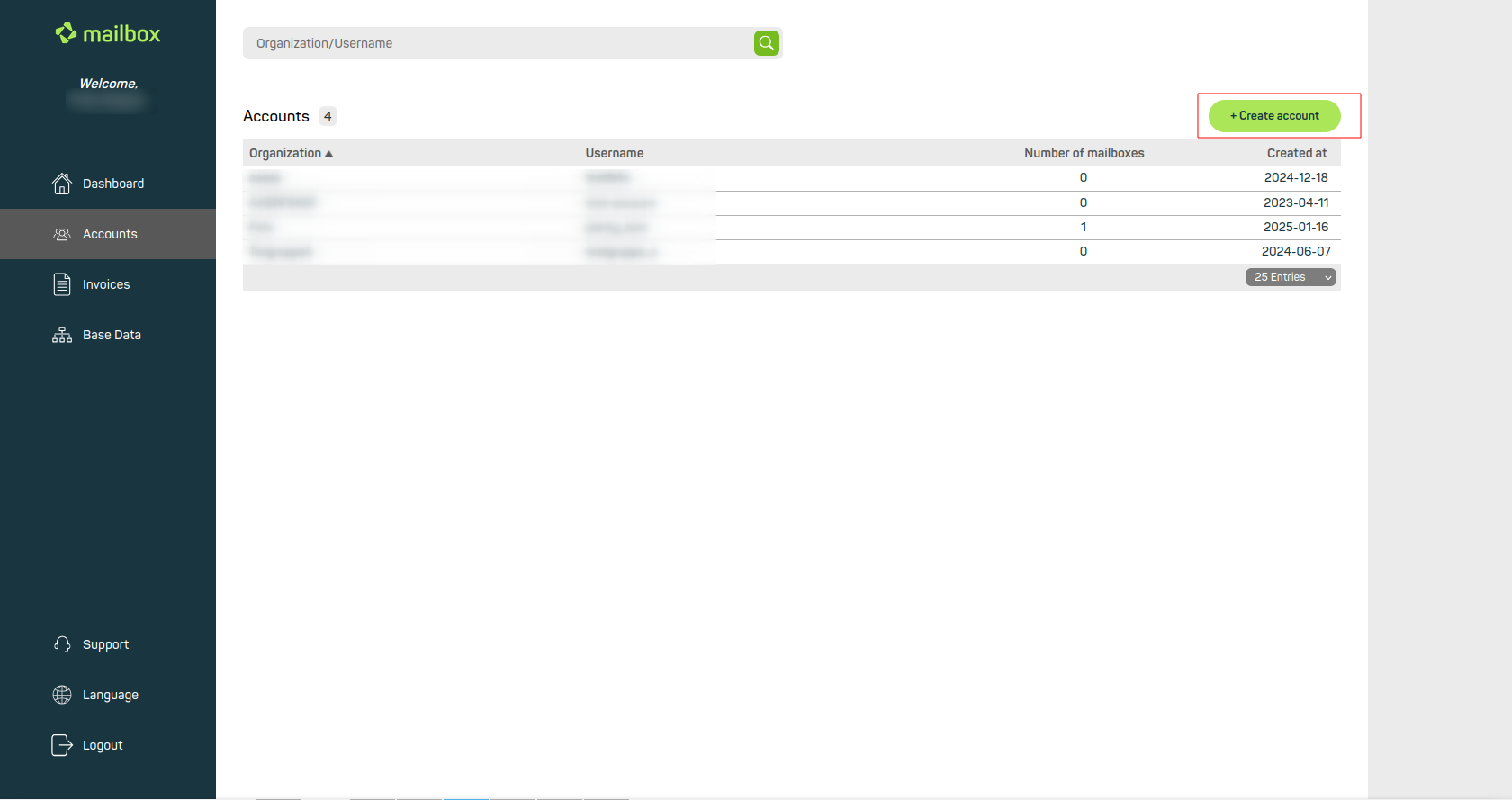
Create new customer accounts via the dashboard
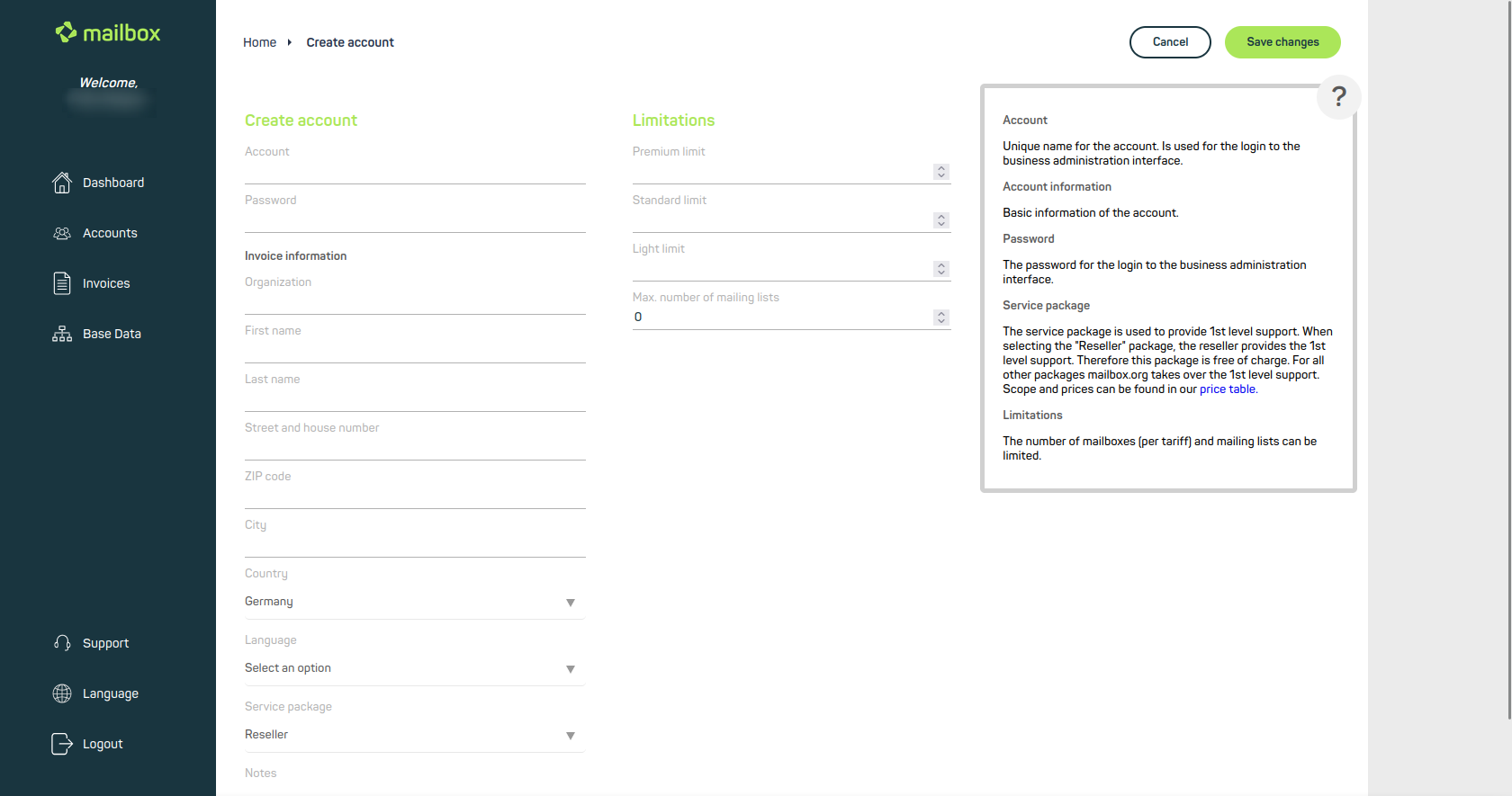
Enter all relevant data for the account
“Create account” section
- Account: A unique name for the account. This will be used as the username for administration.
- Password: The password for logging in to the administration.
- Billing data: The customer’s general data.
- Service package: The service package defines your desired support level.
If you provide support for this customer yourself, select the free “Reseller” option.
If you prefer mailbox to handle support, you can choose between the additional Silver, Gold, or Platinum options.
A price overview of these packages can be on our website.
“Limitations” section
Here you define how many mailboxes the customer can create in each plan (Light, Standard, Premium). You also set the maximum number of possible mailing lists.
To complete the customer account setup, click Save changes in the top right corner of the dashboard.
Invoices
Under the Invoices menu item, you will find a chronological overview of customer invoices and can use the search field to query specific invoices. Here, you can also export invoices in PDF and CSV formats.


