
Catch-all address for your custom domain
This article describes how to set up catch-all addresses for Business customers in mailbox.
What is a catch-all address?
A catch-all address is a special forwarding rule that receives all emails sent to a domain — regardless of whether the mailbox or target address exists.
This allows emails sent to any address under your domain to be received or processed (for example, info@your-domain.de, test@your-domain.de, xyz@your-domain.de).
Catch-all addresses are commonly used by business customers to operate automated systems or services that use changing sender addresses.
Setting up a catch-all address
To create a catch-all address for your domain, proceed as follows:
- Log in to the Console as an administrator.
- Click your domain.
- Click the + icon to create a new mailbox.
- Enter the desired destination address in the New forwarding rule field.
- Click the + icon.
- Deactivate the Save copies of all incoming e-mails in my inbox checkbox.
- In the Account tariff drop-down list, select the Just forward (free of charge) option.
- Save your entry.
A catch-all entry will then look like this:
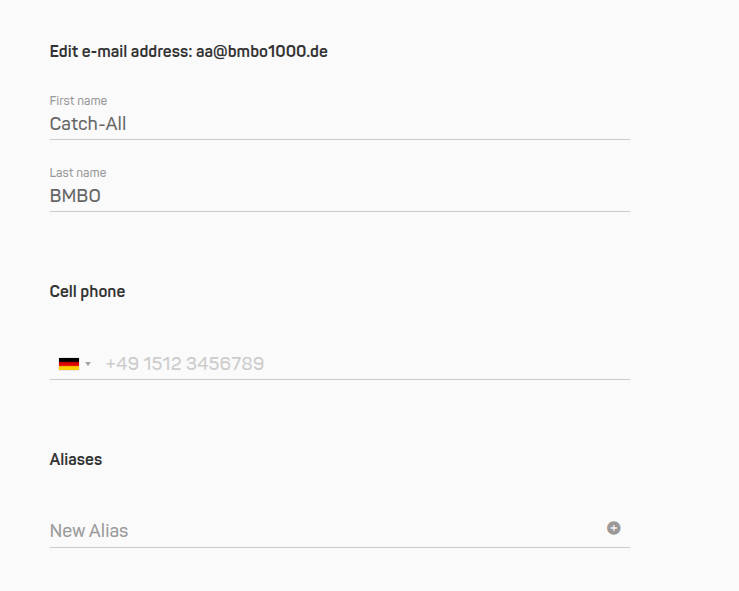
New catch-all entry
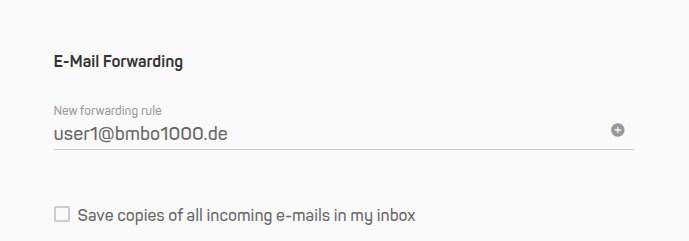
Once you have set up the forwarding address, select the “Just forward (free of charge)” account plan
Use as SMTP login
The created catch-all address can also be used for SMTP sending.
This is particularly useful if automated systems (for example, ERP or CRM systems) regularly send emails from dynamic sender addresses that may change. In this case, the catch-all address can serve as a central SMTP login to ensure reliable sending.
Important notes
- Please check incoming emails regularly for unwanted messages or spam, as the catch-all address receives all emails sent to your domain.
- We recommend activating catch-all addresses only if there is a specific technical use case.
- Only one catch-all address can be configured per domain.
Example
You own the domain mycompany.de and would like all incoming emails to be forwarded to a central mailbox.
In this case, create a forwarding rule with the sender address *@mycompany.de pointing to the mailbox info@mycompany.de.
All emails sent to any address such as support@mycompany.de or xyz@mycompany.de will then be automatically delivered.


