
FAQs about address books and calendars
How do I set different colours for calendars?
With mailbox, you can assign different colours to your calendars to categorise events by colour – for example, to distinguish between personal appointments, team meetings or project deadlines.
- Open the calendar view.
- Select the desired calendar.
- Open the context menu by clicking on “...” to the right of the calendar title.
- Select a colour to customise the calendar.
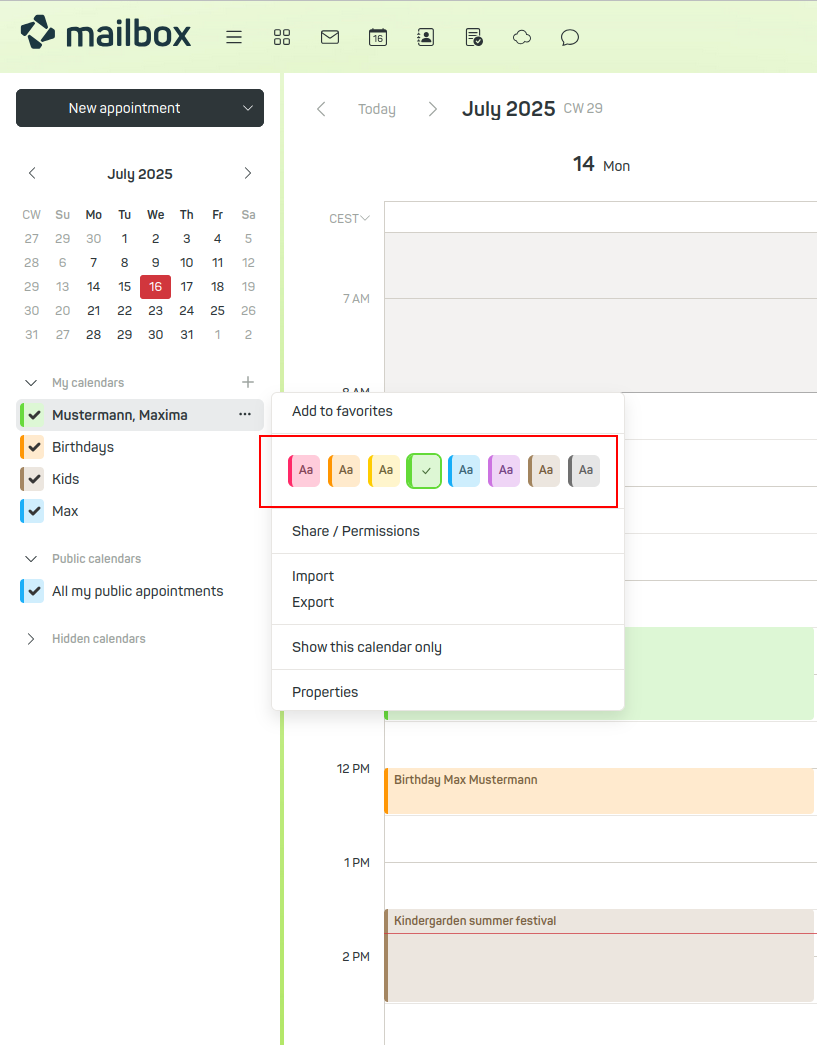
Assigning calendar colours
In the appointment overview, the entries for each calendar are now displayed in different colours.
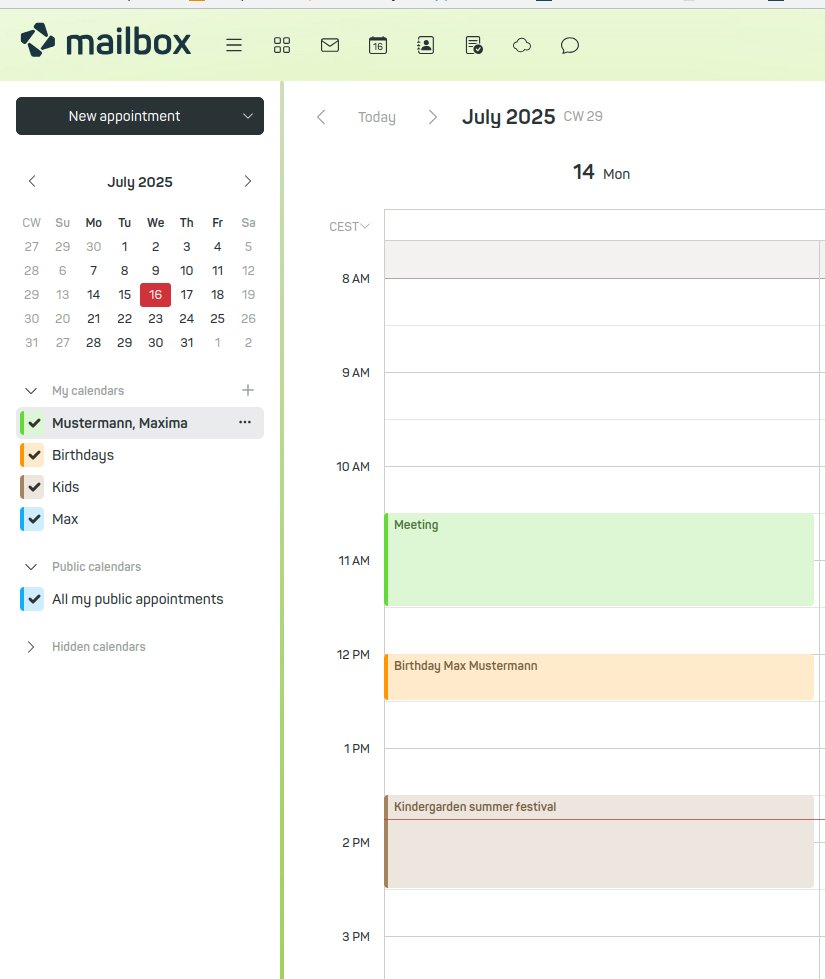
Calendar view
How do I import other calendar data such as school or public holidays?
A widely used standard for calendar data in file format is iCal. These files allow you, for example, to create a local backup of your calendar or to import other calendar data into your calendar.
If, for example, you would like to have the current school holidays for Germany in your calendar without having to enter them manually, it is best to use services such as schulferien.org. There you will find holiday dates in iCal format, which you can simply download as a file and import into your calendar.
Also freely available are many public holiday calendars for various (federal) states, as well as files from private companies. For example, waste management companies provide iCal files with waste collection dates.
To view such calendar content, download the relevant iCal file – for example from schulferien.org – and then open your mailbox account to import the iCal file:
- Under My calendars, select the calendar you wish to import the iCal file into.
Note
Do not use your main calendar for the import. Create a new calendar if necessary.
- Open the calendar’s context menu by clicking on “...” to the right of the calendar title.
- Click on Import.
- In the selection dialogue that appears, select the downloaded iCal file for import.
The current events will be displayed in the mailbox calendar.
What is the global address book?
The global address book contains your own contact details and, where applicable, the email addresses of the members of your business account. The entries in this address book are generated automatically and cannot be edited or shared. However, you can copy individual contacts to your own address books and edit them there. External contacts are not displayed here – these can be found under My address books.
Why are phone numbers missing after CardDAV synchronisation?
Under certain circumstances, synchronising contact details via CardDAV may result in phone numbers being lost, or phone numbers may be synchronised incompletely or incorrectly.
Background
CardDAV is a protocol for synchronising contact data. However, the specific implementation of this standard varies between different manufacturers – for example, in terms of how many phone numbers are supported per contact or how mandatory fields are handled.
How it works on smartphones
If you enter phone numbers directly into your smartphone’s address book, you need to define a default number for each contact. Only then will the data be synchronised. This default number is retained with every synchronisation.
If you subsequently add further phone numbers to this contact, these are initially stored locally on the smartphone but are not synchronised with the server immediately.
Potential conflicts during synchronisation
If, in the next step, you add new phone numbers to the same contact via mailbox Suite, conflicts may arise. During the subsequent synchronisation, the local data record may be overwritten if the data on the server differs from that on the smartphone.
This may result in the loss of locally stored phone numbers that have not yet been synchronised.
Recommendation
- Ensure that contacts are synchronised and up to date on all devices before making any changes.
- Avoid editing a contact on multiple devices simultaneously.
- Check regularly that all phone numbers have been correctly synchronised – particularly after making changes via the web interface or on your smartphone.
Why aren’t calendars and address books end-to-end encrypted?
With mailbox, many accounts are linked together as family or business accounts. In such setups, sharing calendars and address books is a key part of collaboration.
These features require the server to access the data in order to display it to other authorised users. However, if the calendar and contact data were end-to-end encrypted – i.e. encrypted in such a way that only the original owner has access – such sharing would no longer be technically possible.
The transmission of the data is, of course, encrypted, so that third parties cannot view the communication.


