
mailbox settings
You can find the settings in mailbox Suite in the top-right corner of the menu bar. Click on the gear icon to open the settings dialogue. In the mobile view, open the settings via the main menu icon (≡) or tap your profile icon in the top-right corner.
In the settings dialogue, you will see the General section in the sidebar on the left. There you can adjust key settings for your account, design, password, security and other mailbox-specific features.
How do I configure the quick launch bar?
For information on configuring the quick launch bar, see the article Customising the quick launch bar.
Where is the logout button?
You can find the button to log out of mailbox Suite in the menu of your profile icon.
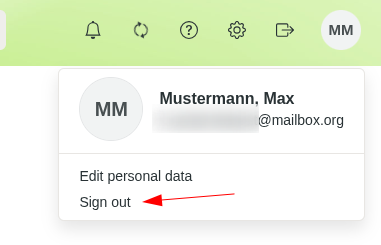
Logout button in mailbox Office


