
Where to find your account settings
Accessing the settings
When you are logged-in at mailbox, you can find the "settings" button by clicking on the cogwheel symbol in the upper-right corner. It is located between the help and the avatar button (the circle with your initials).
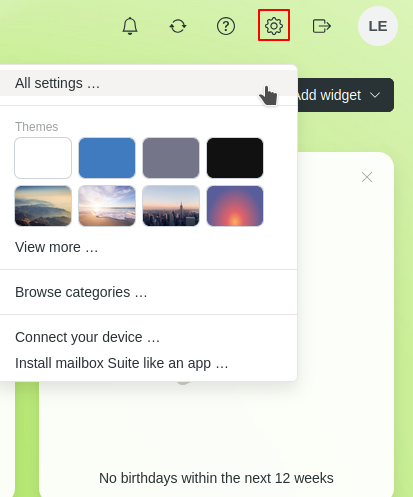
Figure 1: How to open your account settings
Overview of all settings
Under All settings, you will find all options for managing your mailbox account. These include, among others:
- Personal data and security settings
- Information about your contract and plan
- Mail, calendar, addressbook, and cloud storage configuration
- Management of filters, signatures, and forwarding rules
- Settings for mailbox Office, Meet, and Notes
The mailbox Office is clearly structured and can be customized to suit your individual needs.


